📊 Analytics – Dashboard
Module: Analytics
Section: Dashboard
Location: Modules > Analytics > Dashboard
Version: 1.0.0
Last Updated: June 2025
🧭 Overview
The Dashboard provides a visual, real-time snapshot of your property's performance. It consolidates key data from all operational areas — such as reservations, revenue, occupancy, and service statuses — into an easy-to-understand interface.
This page is typically the home screen for Admins and Managers.
🖼️ Interface Preview
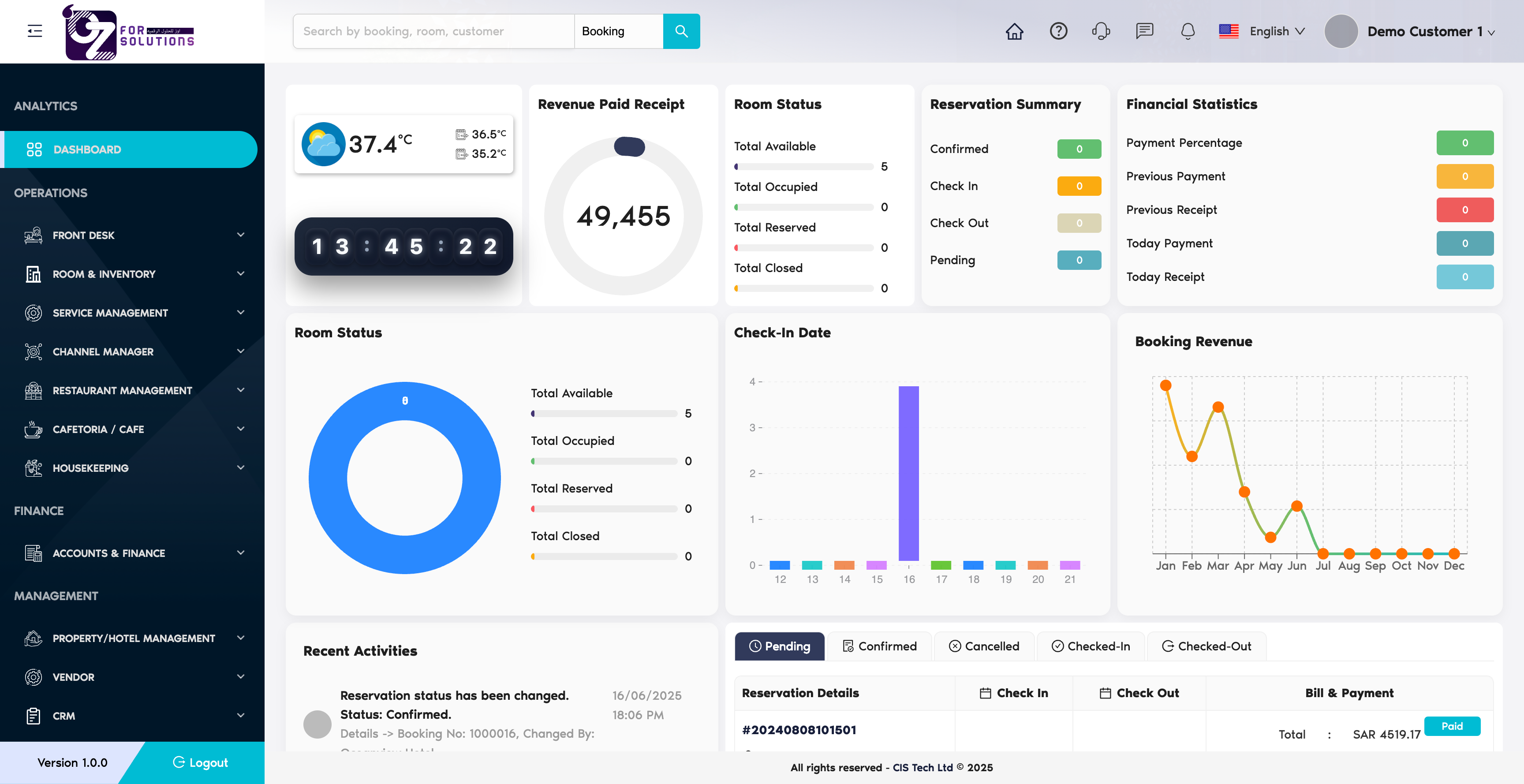
Image: The main dashboard displaying revenue, booking status, and occupancy rate widgets.
👤 Who Can Access
| Role | Access Level |
|---|---|
| Admin | Full access |
| Manager | View only (default) |
| Staff | No access (unless granted) |
📌 Key Features
- 🔢 Booking Summary: Visual cards showing total, active, and upcoming bookings.
- 💰 Revenue Insights: Bar/line charts for daily, weekly, and monthly earnings.
- 🛌 Occupancy Rate: Room utilization shown via colored indicators.
- 🧹 Service Alerts: Pending housekeeping and maintenance items.
- 🛎️ Check-in Timeline: List of today's arrivals and departures.
📋 Step-by-Step Guide
1. Accessing the Dashboard
- Go to Modules > Analytics > Dashboard from the top navigation.
- The system will auto-refresh and display updated figures.
Image: Navigation to the dashboard via the top menu.
2. Exploring the Widgets
Each card or chart shows important operational metrics:
- Clicking Bookings opens Reservation History
- Clicking Revenue opens Transaction Reports
3. Filtering Data
You can filter dashboard insights using the date range selector:

Image: Date filter control for custom and predefined ranges.
4. Exporting Reports
Use the export icon on top-right of each widget:
- Formats supported: CSV, PDF
- Use the print layout for meetings and reporting
💡 Best Practices
- ✅ Use a large screen for live display in the admin office
- 🔁 Refresh periodically to ensure the data is current
- 🔒 Restrict financial views to relevant roles only
❗ Troubleshooting
| Problem | Solution |
|---|---|
| Charts not loading | Ensure internet connectivity; refresh page |
| No data showing | Ensure bookings, transactions, or housekeeping tasks exist in the system |
| Access denied | Check your user role permissions under Settings > User Roles |
🧪 Related Modules
📞 Support
Need help with interpreting dashboard data or customizing widgets?
- Ask your system administrator
- Or email support@yourcompany.com
📊 The dashboard empowers you to run your property efficiently — based on real-time, actionable insights.